DownForge.Pro

No watermark · HD · Fast

TikTok Downloader

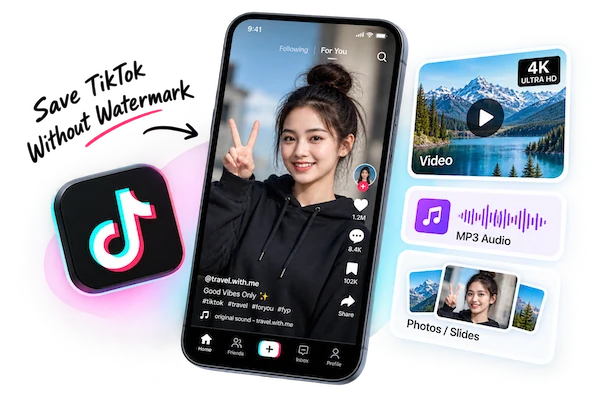
Save TikTok videos without the watermark, download every image from photo-mode posts, or keep only the soundtrack — all from the share link.

  • No watermark
  • HD MP4
  • Photo slideshows
  • Original sound
0+Total requests
0+Parsed
0BTraffic processed
0+Platforms parsed

Please make sure you own or are authorized to use the video content.

Where the TikTok Watermark Comes From

The bouncing logo and username aren't part of the video a creator uploads. TikTok stamps them on only when a clip is exported through the app's Save video button. The stream the app plays while you scroll is clean.

DownForge.Pro reads that playback stream instead of the export copy, so the file you get has no logo, no end card and no username overlay. The resolution is whatever the creator uploaded — usually 720p or 1080p.

Download a TikTok in Three Steps

  1. 1. Copy the link

    Tap Share on the video, then Copy link. Short vm.tiktok.com links and full web URLs both work.

  2. 2. Paste and analyze

    Put the link in the box above and hit Analyze. We resolve short links automatically.

  3. 3. Save the clean file

    Pick the video, the images of a photo post, or the audio track, and download.

What You Can Save From TikTok

  • Videos

    MP4 without watermark

  • Photo mode

    Every image in the slideshow

  • Sounds

    The post's audio track

  • Cover

    The video's cover frame

TikTok Downloader FAQ

Does the downloaded TikTok really have no watermark?

Yes. We use the playback stream, which never had the watermark. Nothing is blurred or cropped out afterwards.

Can I download TikTok photo slideshows?

Yes. Photo-mode posts are listed image by image in the Images tab, and the background music is available in the Audio tab.

Does the creator know I downloaded their video?

No. We fetch the public post the same way a browser does; nothing is sent to the creator's account.

Why can't I download some TikToks?

Videos from private accounts, deleted posts, and posts whose creator turned off access in your region can't be analyzed.

Can I download TikToks on iPhone and Android?

Yes. Everything runs in the mobile browser. On iPhone the file goes to the Files app; on Android it goes to Downloads.

May I repost downloaded TikToks?

Only with the creator's permission. Downloading for personal viewing or backing up your own posts is fine; reposting someone else's video can infringe their copyright.

Human support, not AI